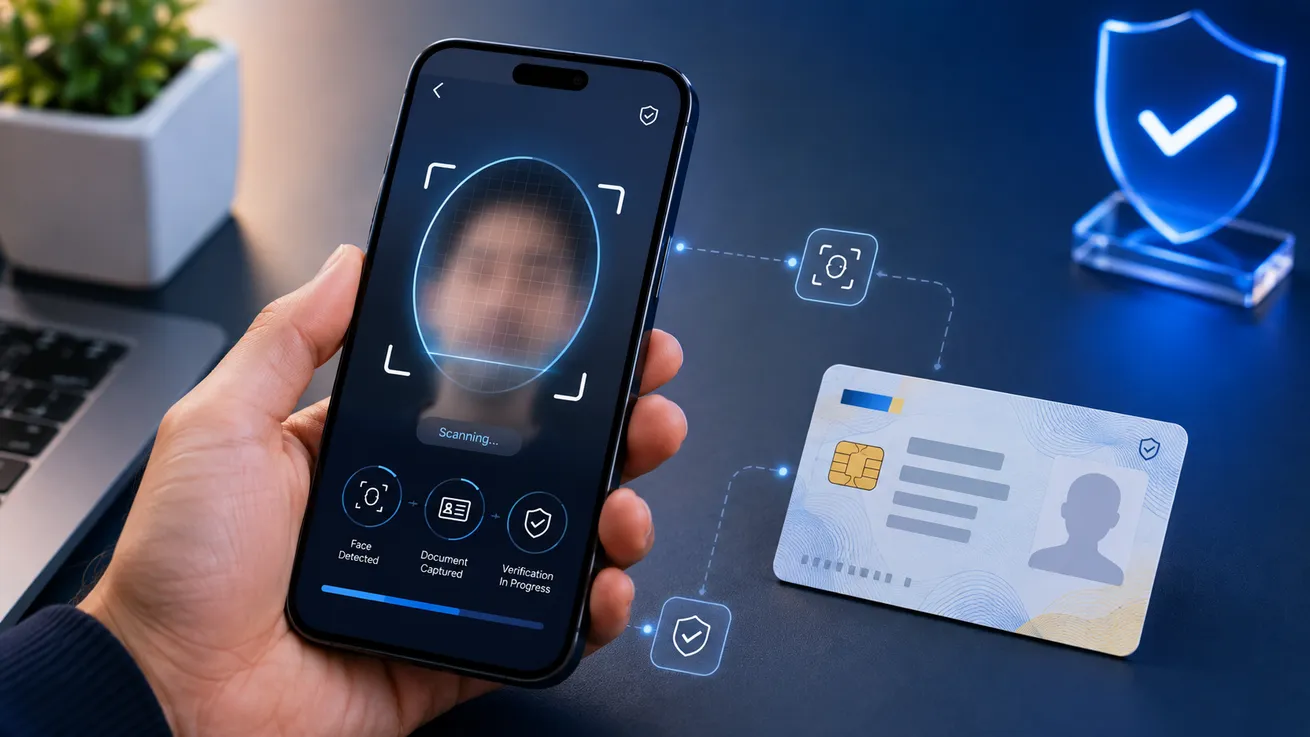
Signater now offers three new identity validation factors: an advanced selfie with liveness detection, identity-document capture, and a face match between the selfie and the photo on the document. All three are available from the Business plan.
An identity validation factor is the proof Signater requires from a signer before accepting a signature. Every factor you enable enters the audit trail and appears in writing on the certificate of completion attached to the signed PDF.
Advanced selfie with liveness detection
The advanced selfie opens the browser camera and runs an active liveness check, confirming that a real person is in front of the lens at that moment. The check is tested against ISO/IEC 30107-3, the international standard for resistance to presentation attacks, which is the technical name for attempts to fool a camera with a printed photo, a face on another screen, a mask or a recorded video.
That test is what separates the advanced selfie from the basic one. Verification happens on the server, and Signater accepts the signature only after the verdict says the capture passed. An image uploaded by the signer's device does not stand in for that verdict.
It is worth saying what liveness detection does not do. On its own it identifies nobody, and it matches the signer's face against no database. It answers one question: is a living person signing right now.
Identity-document capture
The second factor asks the signer for a photo of a photo ID, taken on the spot or sent from their device, and classifies which type of document was presented before accepting it.
Classifying the document type is where this factor stops. Signater reads which kind of ID was presented and keeps the image, and it makes no claim about whether the document itself is authentic, which is why the feature is called capture rather than validation.
The image is kept as evidence and never printed on the certificate of completion, which records only that a document was submitted. An ID carrying a photo and a number is not the kind of data to publish in a PDF that circulates by email between the parties.
Face match
The face match is the biometric step that closes the loop: it compares the face in the signing selfie with the photo on the document presented, and measures the similarity between the two. The signature is accepted only when that similarity clears the configured threshold.
This factor depends on the other two. Without the advanced selfie there is no live-verified face to compare, and without the document there is no second photo. Signater enables the face match only once both are on for that signer, and turns it off on its own if you disable either one.
The comparison runs between the two images from the signing act itself, and nothing is checked against an external database. The result answers whether the person who signed is the person on the document presented, rather than who that person is according to a public registry.
How it works for the signer
On the signer's side, none of this requires preparation. They open the link that arrived in their inbox, on a phone or a computer, and the capture happens in their own browser camera. There is no application to install, no Signater account to create and no prior registration anywhere.
The liveness check asks for a few seconds of framing, with the instruction on screen. If the capture does not pass, the signer sees the message and tries again; after too many attempts the flow stops and they restart from the link. Signater fails closed in those cases: with no positive verdict stored on the server, the signature is refused even if the device sends an image.
Captured images are kept as evidence of the envelope, alongside the rest of the audit trail. The signing selfie is attached to the certificate of completion; the document photo is not. And in none of the three factors does Signater query an external database, a public registry or a third-party service about the person: the comparison uses only the images the signer presented during that act.
The basic selfie stays on every plan
Nothing was taken away from anyone on a smaller plan. The basic selfie remains available on every plan, including Free, and works the way it always has: it opens the camera, captures a live photo of the signer at the moment of signing and attaches that image to the certificate of completion as evidence of the act.
The difference between the two sits in fraud resistance. The basic selfie records what the camera saw, without judging it. It does not tell a real person from a printed photo, a face shown on another screen or a video played in front of the lens, and it carries no defense against a deepfake. For a routine authorization that record does the job. For a contract where the signer's identity is the sensitive part, liveness detection is what closes that door, and it lives in the advanced selfie.
The certificate of completion uses different wording for the two, deliberately, so that nobody reads more guarantee into it than exists.
What the certificate says
Each required factor appears under its own name in the authentication list on the certificate of completion:
- Selfie (live camera capture), for the basic selfie.
- Advanced selfie with verified liveness proof, when the liveness check passed.
- Identity document submitted by the signer, without the document image.
- Facial comparison between the selfie and the submitted document, when the match was approved.
Whoever opens the signed PDF months later reads exactly which proof was required of each person, without depending on you to remember the configuration used that day.
Turning them on
Factors are chosen per signer, inside each envelope, as you build the list of who signs. The combination is not a global account setting: the same envelope can require the advanced selfie and a document from one party and only an email code from the other.
A lease with a guarantor shows why that matters. From the guarantor, who takes on the debt if the tenant stops paying, you require the advanced selfie, the document and the face match. From the tenant, whom you met in person last week, an email code is enough. Each requirement appears separately on the certificate, person by person.
Choosing factor by factor has a practical reason. Every extra requirement is another step between the signer and the signature, and too many steps on a low-risk contract cost you conversion: the person postpones, closes the tab, and you chase them again next week. Spending the advanced selfie and the document where fraud hurts, and leaving the rest on an email code, keeps the proof strong where it counts without taxing what was simple.
Availability
The advanced selfie with liveness detection, identity-document capture and the face match start on the Business plan and continue on Enterprise, alongside SMS codes. The basic selfie, the email code and the sender-defined password stay on every plan, including Free.
All three factors are described in detail on the identity validation page, with what each one proves and what each one leaves out.
To try them before settling on a plan, create an account and send three envelopes a month on Free, no credit card.