Friday, 5:30 p.m. The client in Denver answers your quote with two words: we're in. You get about four seconds of celebration before the paperwork starts. Print the agreement. Sign your copy. Scan it. Email it. Wait for them to print it, sign it, scan it back and send you page three sideways. If the document needs a notary, add a trip and a fee. If someone insists on wet ink, add overnight shipping in both directions.
So you do what most small teams do. You start the work on the strength of the email thread and leave the contract for later. Later turns into never, and never shows up ninety days out, when the invoice is past due, the client stops replying and your only proof is a chain of messages.
That same agreement can come back signed in ten minutes, from your client's phone, before you close your laptop. And it costs nothing today: Signater's free plan is back after more than a year offline. Three envelopes a month, forever, no credit card.
Your old account already switched plans
Maybe you opened a Signater account once, sent two documents and let it go when the trial ran out. That account changed while you were busy with other things. Every active account without a paid subscription moved to Free. No migration, no request, no call with sales. Sign in with the same email and look at the balance: this month's three envelopes are sitting there.
If you have never opened one, it takes a minute, and your credit card stays in your wallet. Free carries no expiration date and no countdown. Three new envelopes land every month, this month, next month and two years from now.
What Signater does with your contract
An electronic signature is a signature you apply from a phone or a computer, with the same weight as ink on paper, without printing and without getting everyone into one room. Signater handles that from the upload to the signed file, and the Friday agreement is a good way to watch it work.
You drag the file onto the screen. PDF, Word, a spreadsheet, a photo of a page: everything converts to PDF on upload. You type the client's name and email, drop a signature box where they sign, and choose how they prove they are who they say they are. Then you hit send. Your part is over.
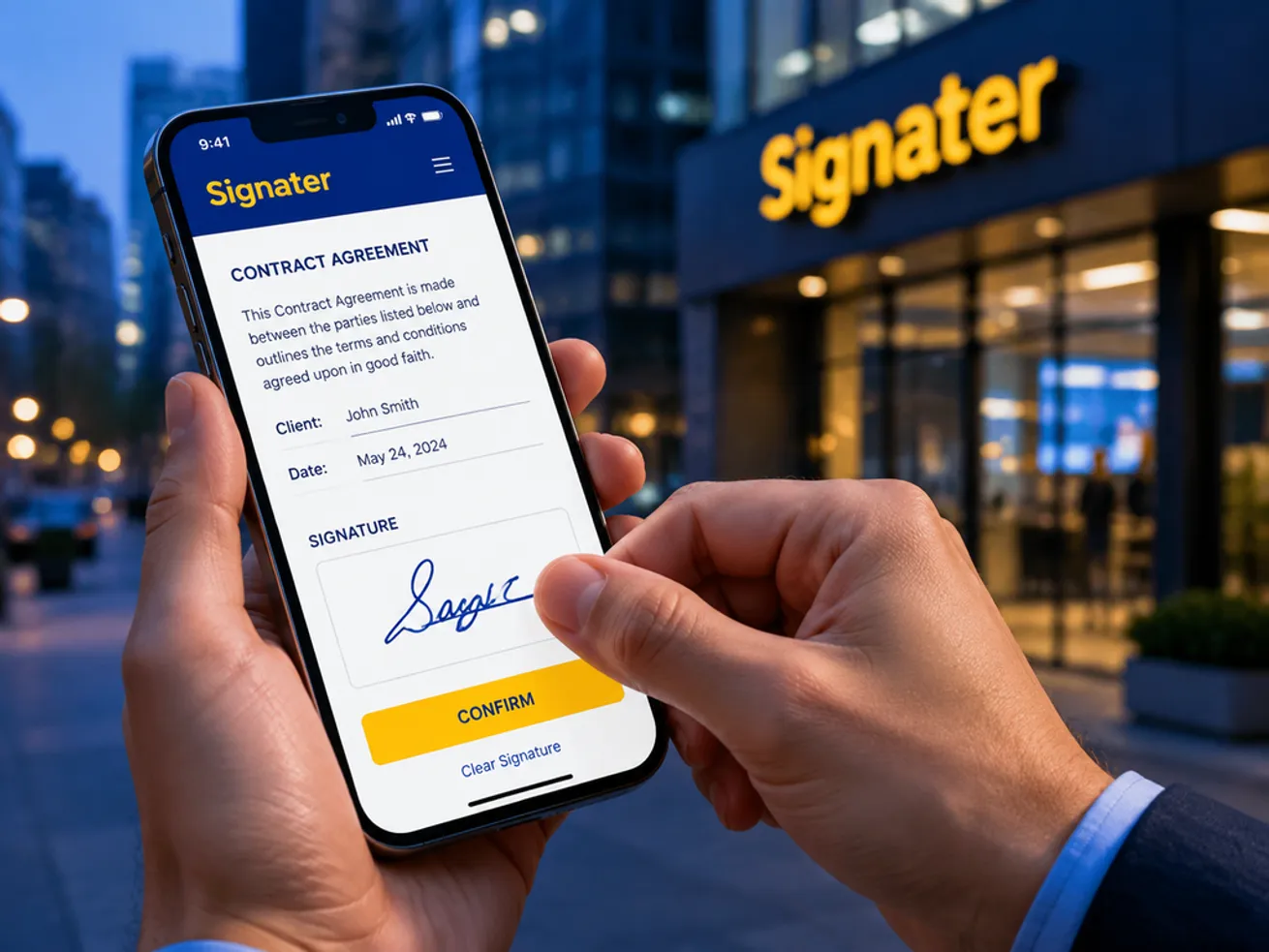
On the other end, your client gets an email with a link. They open it at the airport gate, on their phone, with no app to install and no account to create. They type the six-digit code that landed in their inbox, read the agreement, draw a signature with a thumb and confirm. The alert reaches you while they are still at the gate. When the last person signs, the final PDF arrives in everyone's inbox, the same file for each of them.
That file holds up in a dispute. The ESIGN Act and UETA put an electronic signature on the same footing as a handwritten one in the United States, and eIDAS is the framework that recognizes it across the European Union.
Three envelopes, not three pages
The Friday agreement used one of your three envelopes. An envelope is the signing package, and it works like the paper kind: you put the documents and the people inside, everything travels together, and the whole thing counts as one.
Picture a lease with an addendum attached, signed by the landlord, the tenant and a cosigner. Two documents, three people, still one envelope. On Free that is the ceiling: up to two documents, up to three signers, files up to 5 MB each.
Your balance drops only when you send an envelope out for signature the first time. Building it, revising it and deleting a draft cost nothing, and resending the invitation to someone who forgot to sign doesn't spend a new one.
Open the PDF and scroll to the last page
That is where the difference between a Signater file and a scanned contract lives. The document arrives carrying the memory of what happened to it.
The audit trail is the history of the envelope, close to package tracking: who opened it, who signed, on what day, at what time, from which internet address and from which device. Every step is logged in the completion certificate that ships attached to the PDF.
The timestamp writes the exact date and time of each signature inside the file, issued by an independent timestamping authority. It doesn't rely on the clock of the phone that signed, and nobody edits it afterwards, not you, not your client, not Signater.
The seal locks the content with a trusted certificate. Change one comma after the signature and the PDF reader flags the file as altered the next time somebody opens it.
Add to that how each person proved who they were. On the free plan you mix and match per signer: a password the two of you agreed on over the phone, a six-digit code sent to their inbox, or a selfie taken at the moment of signing, attached to the certificate as visual evidence of who was there.
The day this stops being a detail
Go back to the client who went quiet. With a paper contract in a drawer, you can prove what the contract says, and nothing else. With the Signater envelope, you open the certificate and show that the agreement was opened on the 12th at 9:04 a.m., from a Denver address, on an Android phone, and signed six minutes later by whoever typed the code sent to that inbox. You go after the money instead of spending months proving the deal existed.
The same file settles the boring days too. Your accountant asks for last year's service agreement at tax time and search finds it in twenty seconds, with no filing cabinet and no folder that disappears the week of the audit. The new hire signs the offer letter before their first morning. The tenant signs the renewal without driving across town.
What fits inside three envelopes a month
A document signed on the free plan comes out the same as one signed by a paying customer. Same seal, same trail, same timestamp, no trial stamp in the footer. What comes with it:
- Vaults, which are folders with a lock on them. You keep company documents apart from personal ones and choose who sees what.
- Saved contacts, so you stop retyping the same client's name and email on every send.
- Search and reports, which pull up any document, person or folder by name from any screen.
- Real-time alerts when somebody opens, signs or declines a document.
- Six languages. The platform speaks English, Portuguese, Spanish, French, German and Italian, and the signing screen opens in the signer's own language.
- Two-factor authentication on your account, with a code from an authenticator app.
- Chat support inside the platform, for free accounts as well.
The limits, in one line: one user, three envelopes a month, three signers and two documents per envelope, 5 MB per file.
When three a month gets tight
There comes a month when the fourth contract shows up on the 20th. Good problem, and the moment to look at the paid plans, which start with Starter at $39 a month for 30 envelopes.
Volume brings the rest along. Your whole team gets in, because every paid plan includes unlimited users and the bill doesn't move when you add people. Templates arrive for the agreement you send out identical every week, along with automatic reminders that chase the slow signers for you and scheduled sending. Identity checks climb a level too, with a liveness selfie, ID document capture from a driver's license or passport, and face match, plus one-time codes by SMS and qualified electronic signatures.
On the annual plan you pay 40% less and receive the entire year of envelopes at once, in a single balance that lasts twelve months. Most platforms in this market release them month by month and wipe whatever is left at the turn. Numbers live on the pricing page, and the post on Signater plans and pricing opens up what each one covers.
The upgrade takes one click and applies on the spot. If you ever cancel, the account drops back to Free and your documents stay right where they are.
Start with your next contract
Take the agreement you were about to print tomorrow and send it through Signater instead. Create your free account and sign three documents a month, forever, with no credit card. If you want to see the plan before you sign up, the free electronic signature page lays it out on one screen.